Apps inside your chat
Ask your chat for an app. It builds it right there, on your own accounts. Then it keeps it, so you can open it again tomorrow.
Add it as a custom connector. That is the whole setup.
Ask for the screen you want. It runs on your own accounts.
Run your own MCP
Fork it and you have an MCP server on your own domain, under your own brand, with Sign in with One as its login. Every tool call runs on that person's own accounts, not a shared key.
- 1
Run it on the sample
The Acme Inc sample on :52290. No account, no keys.
$ git clone https://github.com/withoneai/forkable.git$ cd forkable/mcp && pnpm install$ cp .dev.vars.example .dev.vars$ pnpm dev - 2
Make one Connect app
In the One dashboard, Developers, Connect, New app. It is your login.
redirect https://mcp.acme.com/api/one/callback - 3
Deploy the Worker
The client id, secret and Connect key go in as Worker secrets.
$ npx wrangler secret put ONE_CONNECT_KEY$ pnpm deploy # wrangler deploy - 4
Add it to Claude or ChatGPT
As a custom connector. Your users sign in with One.
connector https://mcp.acme.com/mcp

'%3e%3cpath%20d='M40.1843%2021.8157L32.3686%2020.9473L22.8159%2021.8157L21.9473%2030.4999L22.8157%2039.1842L31.5%2040.2698L40.1843%2039.1842L41.0527%2030.283L40.1843%2021.8157Z'%20fill='white'/%3e%3cpath%20d='M26.3786%2035.2893C25.7295%2034.8508%2025.28%2034.2104%2025.0347%2033.3636L26.5414%2032.7427C26.6782%2033.2638%2026.917%2033.6675%2027.2579%2033.9542C27.5966%2034.2408%2028.0091%2034.3818%2028.4911%2034.3818C28.9839%2034.3818%2029.4073%2034.232%2029.7611%2033.9324C30.1149%2033.6327%2030.2931%2033.2506%2030.2931%2032.7883C30.2931%2032.315%2030.1063%2031.9285%2029.7329%2031.629C29.3595%2031.3295%2028.8906%2031.1795%2028.3304%2031.1795H27.4598V29.6881H28.2413C28.7232%2029.6881%2029.1293%2029.5579%2029.4593%2029.2974C29.7893%2029.0368%2029.9543%2028.6808%2029.9543%2028.227C29.9543%2027.8232%2029.8066%2027.5018%2029.5114%2027.2609C29.2163%2027.02%2028.8427%2026.8984%2028.389%2026.8984C27.9461%2026.8984%2027.5943%2027.0157%2027.3338%2027.2524C27.0732%2027.489%2026.8843%2027.7799%2026.765%2028.1229L25.2736%2027.502C25.4711%2026.9418%2025.8338%2026.4468%2026.3656%2026.0191C26.8975%2025.5915%2027.577%2025.3765%2028.402%2025.3765C29.012%2025.3765%2029.5613%2025.4938%2030.0477%2025.7304C30.534%2025.967%2030.9161%2026.2949%2031.1918%2026.7116C31.4675%2027.1306%2031.6043%2027.5997%2031.6043%2028.1206C31.6043%2028.6525%2031.4763%2029.1018%2031.22%2029.4709C30.9638%2029.84%2030.649%2030.1222%2030.2756%2030.3199V30.4088C30.7684%2030.615%2031.17%2030.9299%2031.487%2031.3533C31.8018%2031.7766%2031.9602%2032.2825%2031.9602%2032.8731C31.9602%2033.4636%2031.8104%2033.9911%2031.5108%2034.4536C31.2111%2034.9161%2030.7965%2035.2808%2030.2711%2035.5456C29.7436%2035.8104%2029.1509%2035.945%2028.4931%2035.945C27.7311%2035.9472%2027.0277%2035.7279%2026.3786%2035.2893Z'%20fill='%231A73E8'/%3e%3cpath%20d='M35.625%2027.8123L33.9793%2029.0086L33.1522%2027.7537L36.12%2025.613H37.2577V35.7105H35.625V27.8123Z'%20fill='%231A73E8'/%3e%3cpath%20d='M40.1843%2047L48%2039.1843L44.0922%2037.4475L40.1843%2039.1843L38.4475%2043.0922L40.1843%2047Z'%20fill='%23EA4335'/%3e%3cpath%20d='M21.0789%2043.0922L22.8157%2047H40.1841V39.1843H22.8157L21.0789%2043.0922Z'%20fill='%2334A853'/%3e%3cpath%20d='M17.6052%2014C16.1659%2014%2015%2015.1659%2015%2016.6052V39.1841L18.9079%2040.9209L22.8157%2039.1841V21.8157H40.1841L41.9209%2017.9079L40.1843%2014H17.6052Z'%20fill='%234285F4'/%3e%3cpath%20d='M15%2039.1843V44.3949C15%2045.8343%2016.1659%2047%2017.6052%2047H22.8157V39.1843H15Z'%20fill='%23188038'/%3e%3cpath%20d='M40.1843%2021.8158V39.1842H48V21.8158L44.0921%2020.079L40.1843%2021.8158Z'%20fill='%23FBBC04'/%3e%3cpath%20d='M48%2021.8157V16.6052C48%2015.1657%2046.8341%2014%2045.3948%2014H40.1843V21.8157H48Z'%20fill='%231967D2'/%3e%3c/g%3e%3cdefs%3e%3cclipPath%20id='clip0_1611_246'%3e%3crect%20width='33'%20height='33'%20fill='white'%20transform='translate(15%2014)'/%3e%3c/clipPath%3e%3c/defs%3e%3c/svg%3e "Google Calendar")


mcp.acme.com stands in for your host. A workers.dev URL works too.
Your domain, your brand
Fork it, swap the name and marks, put it on your own domain. The code is MIT.
Each user, their own accounts
Sign in with One is the login. Every person connects their own tools, from the 1,052 apps in One's catalog.
One Worker, its own OAuth
The MCP endpoint, an OAuth server with dynamic client registration and PKCE, and the website. Claude and ChatGPT add it directly.
A start for any MCP
Keep the UI tools or swap them. Add your own in src/tools.ts, each one called on the person's grant.
One URL, then just ask
To use ours, there is no repo, no terminal and no deploy. It works in the chat app you already use.
Add one URL
In Claude or ChatGPT, add blocks.forkable.dev/mcp as a custom connector. Sign in with One and pick the accounts it may use.
Ask for a screen
Say what you want to see. The agent finds the actions on your accounts, writes the UI and runs it in the chat.
Keep it
Every UI is saved with its versions. Open it again in either chat app, or on the web at blocks.forkable.dev.
Six apps worth asking for
Each one starts as a single prompt. What renders below is the real code the agent writes, running here on the Acme Inc sample.
Ask for the screen you want. It runs on your own accounts.
Prep me for my next meeting: who is in it, my last emails with each of them, and draft an agenda from anything I still owe them.
Source: site/src/flows/meeting-prep.tsx, one TSX file on the kit the MCP gives every UI.
It lives past the chat
A chat answer usually scrolls away. These stay. Each one is saved with its versions and opens again wherever you are.
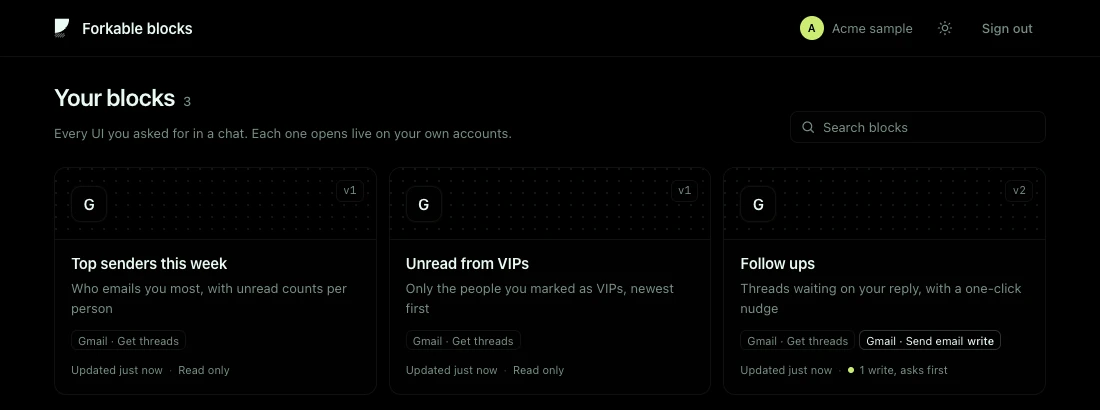
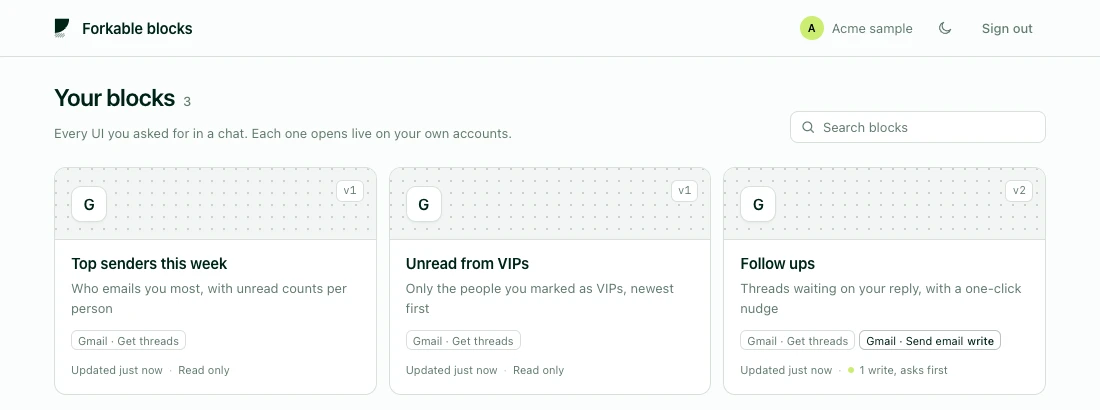
Your blocks
Every UI you asked for, in one list at blocks.forkable.dev.
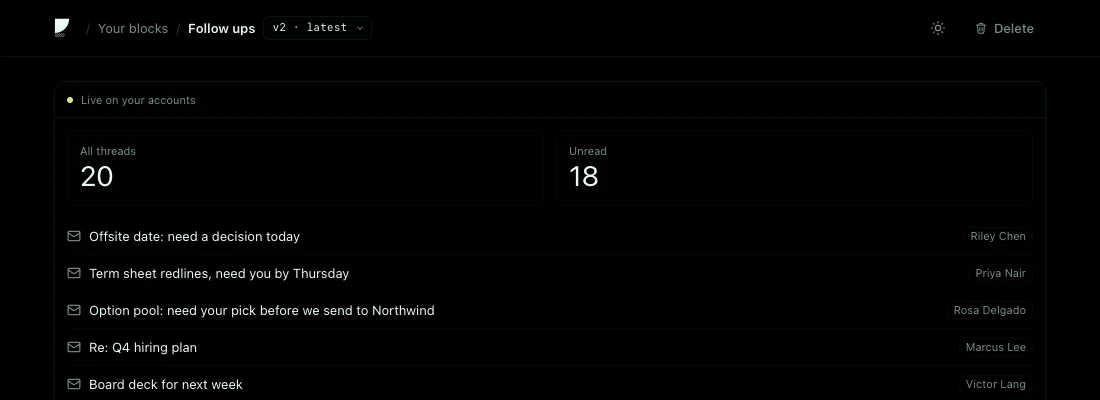
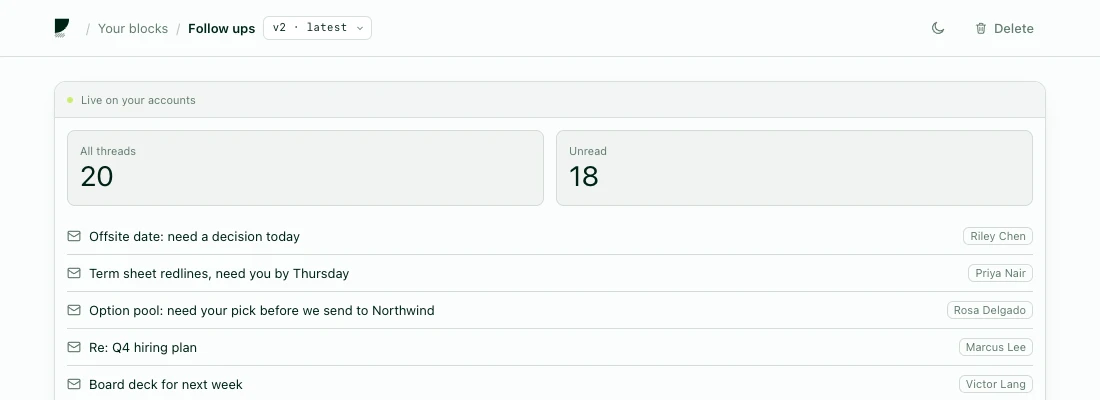
Open it anywhere
On the web or in the other chat app, live on your accounts, any version.
- To
- leo@vandelay.com
- Subject
- Pricing for the Vandelay rollout
Writes ask first
A send or a change stops at the connector's Confirm, outside the generated UI. The UI itself cannot press it.
Open your blocks
Sign in with One on the web to see, rename or delete everything you made.
Software on request
A chat that answers with a working screen, wired to the tools you already use.
Nothing to install
One URL in the chat app people already use. No repo, no terminal, no deploy.
Your accounts, not a demo
Gmail, Calendar, Stripe, GitHub, any of the 1,052 apps in One's catalog, each signed in by you.
Made to fit the ask
Not a fixed widget. The agent writes the exact screen you asked for on a shared kit, so it still looks designed.
Yours after the chat
Saved, versioned and reopened anywhere. A chat answer becomes a small app you keep.
The screen runs in a sandbox inside the connector's frame. A write stops at the frame's own Confirm, and only that exact request runs, once.
11 tools, one kit
The agent sees these tools. The screens it writes import one small React kit, so every UI looks right in light and dark.
list_connectionswhat you connectedfind_actionssearch the catalogaction_docsread one actionui_guidethe kit and its rulesrender_uiwrite and run a screenupdate_uisave a new versionlist_my_uisyour saved screensshow_uiopen one againrename_uiname itdelete_uiremove itrun_actionthe screen calls your tools
Secured by One. You connect your own accounts and can revoke them any time.
Add it to your chat
Paste the URL, sign in with One, ask for your first screen. Want the whole app in your own repo instead? Fork the business it came from.